Your trip photos, already a book.
AI Travel Photo Journal takes a trip’s worth of photos and hands back a designed album. It sorts them by day, picks the best shots, drafts a short journal entry for each day, and lays out the pages. You approve the picks, choose a Look, and download a digital album or a print-ready file at a standard book size.
An album maker where the app does the sorting, and you keep the taste.
Most trip photos never leave the camera roll. Building an album by hand takes a weekend, and the template tools still leave the sorting, picking and writing to you. This app takes on that work. What stays with you is the part that’s actually yours: which photos make it, and how the book looks.
Connect
Google Photos, Dropbox or a share link, or just upload. Zip files work too.
Sort
Photos are grouped into days from their dates. Anything without a date waits for you to say which day it belongs to.
Pick
Blurry shots and near-duplicates are filtered out first. Then a model looks at each day’s survivors, ranks them and drafts a short journal entry.
Review
Keep or drop any photo, edit the words, and watch the price update live. Nothing is made until you approve.
Design
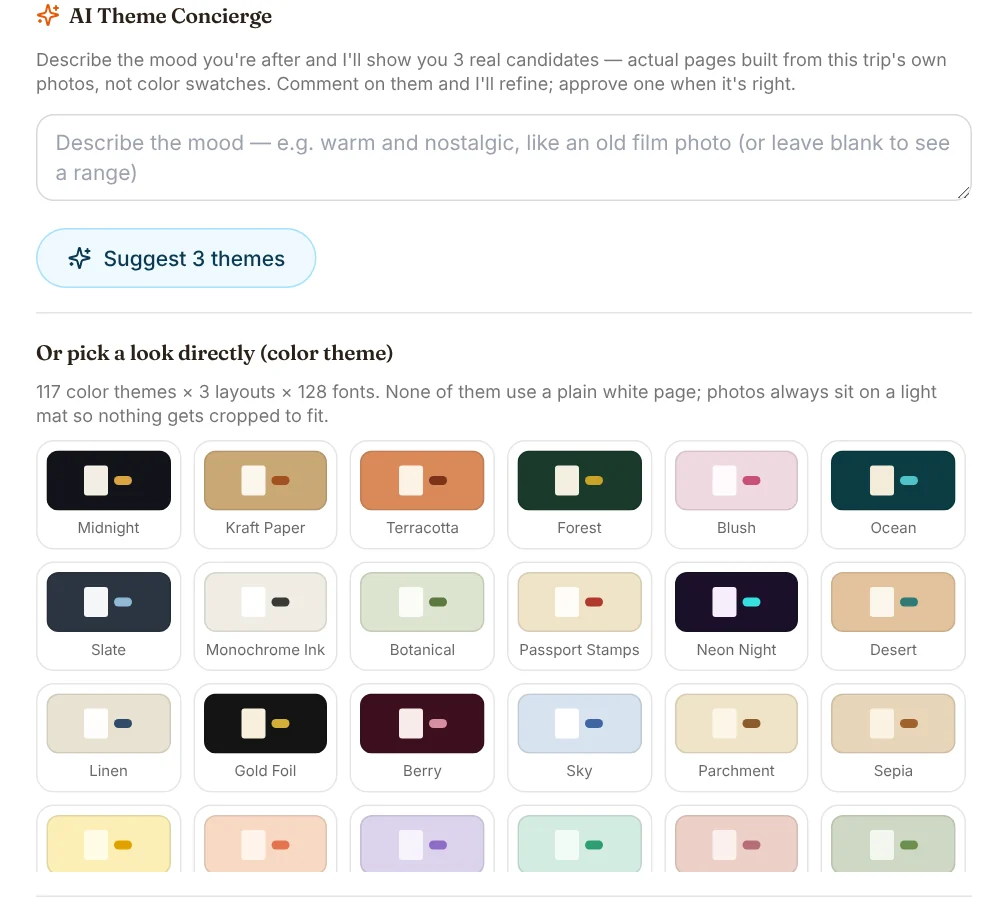
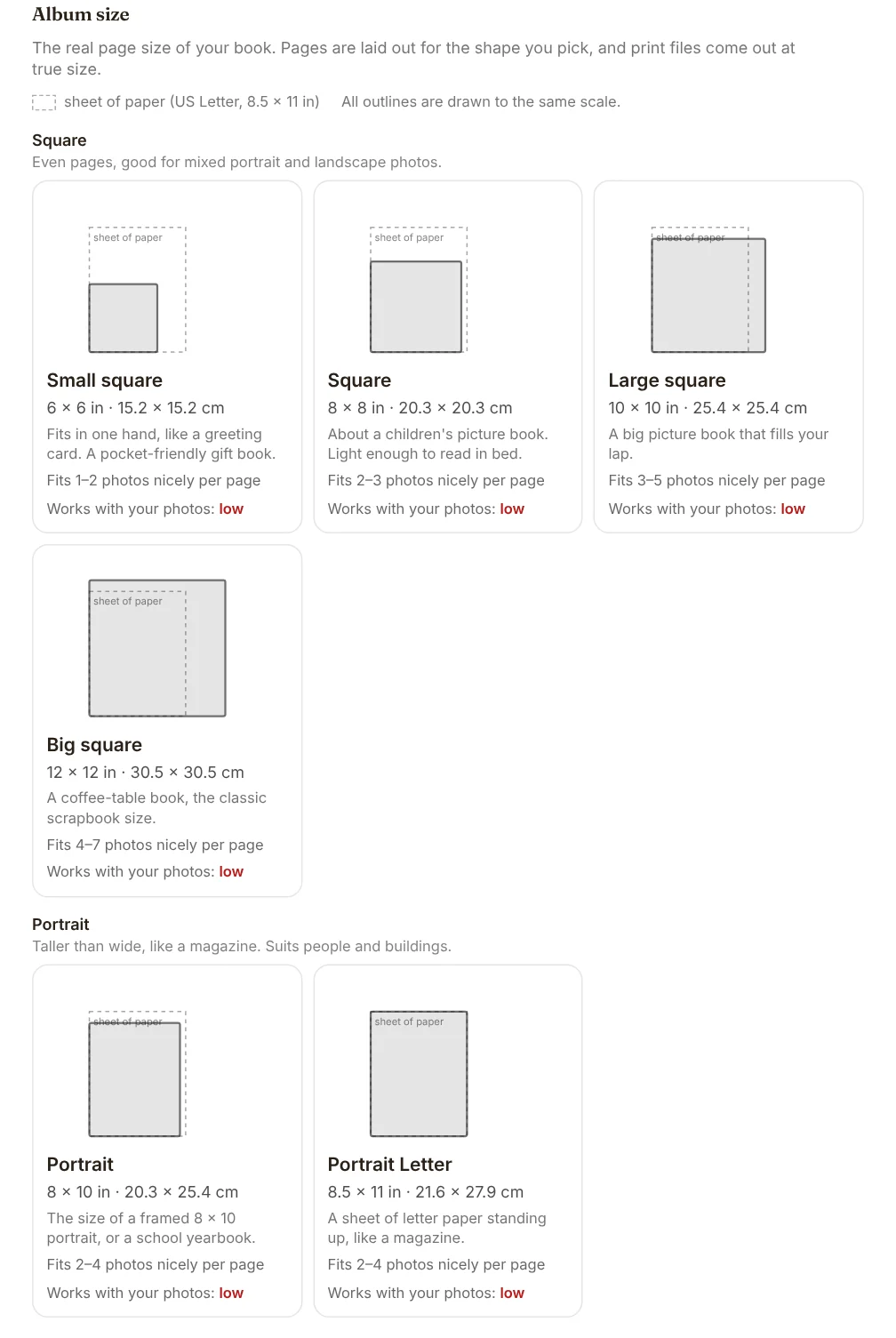
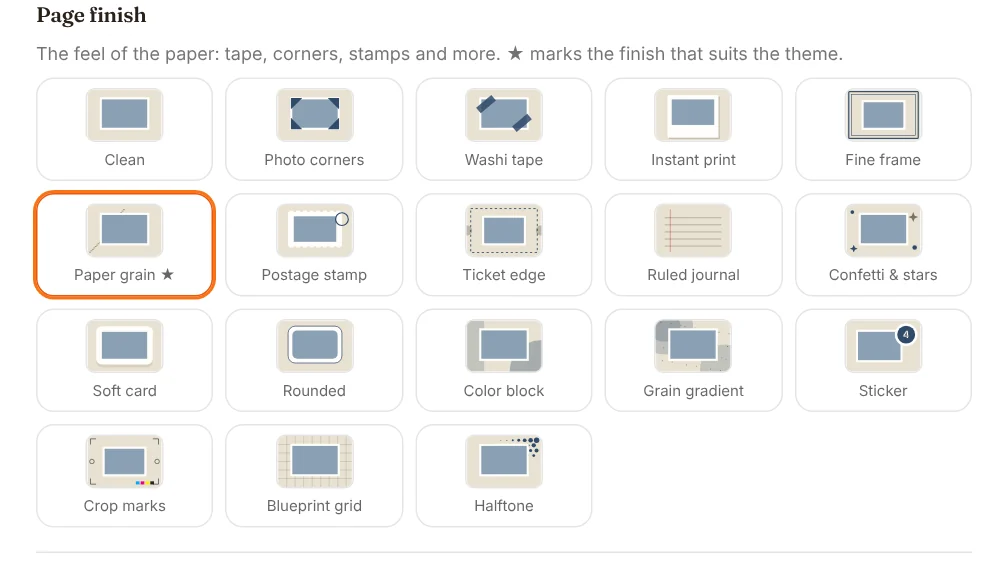
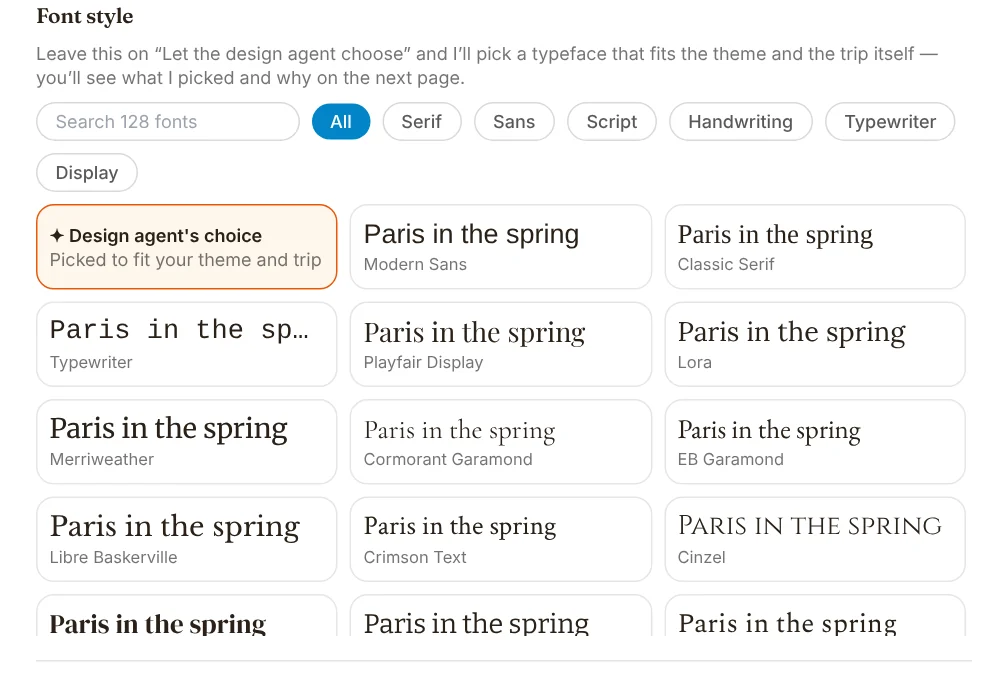
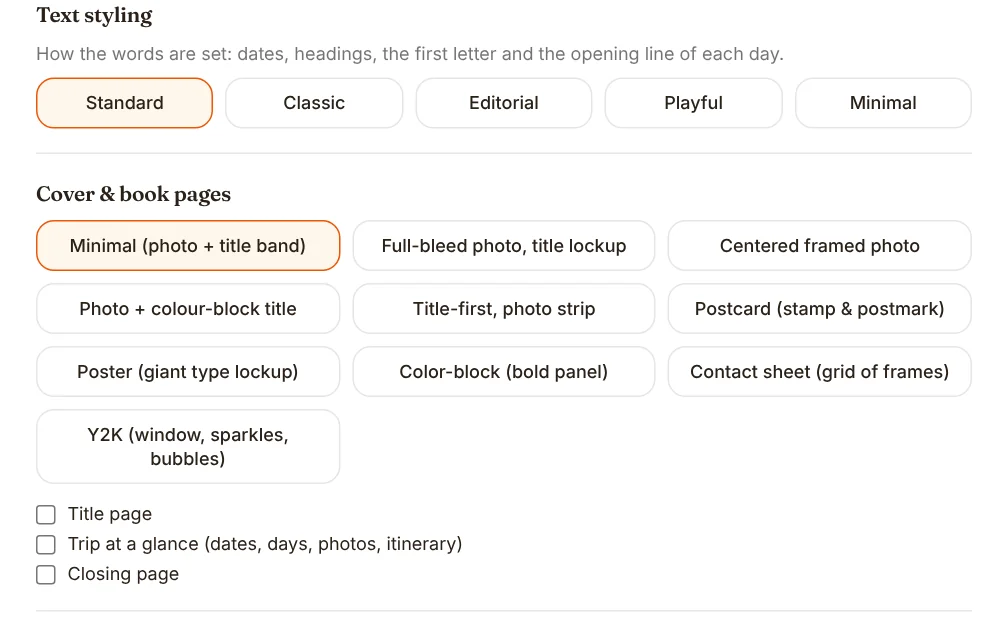
Start from one of 12 Looks, or fine-tune layout, colours, font, page finish, cover and print size yourself.
Download
A digital album, a print-ready PDF at true size with bleed, or an editable slides file. A resolution check flags any photo too small for the size you picked.
Pick a Look.
Same five photos every time — only the design changes. Click any Look to see its cover and a real day page.

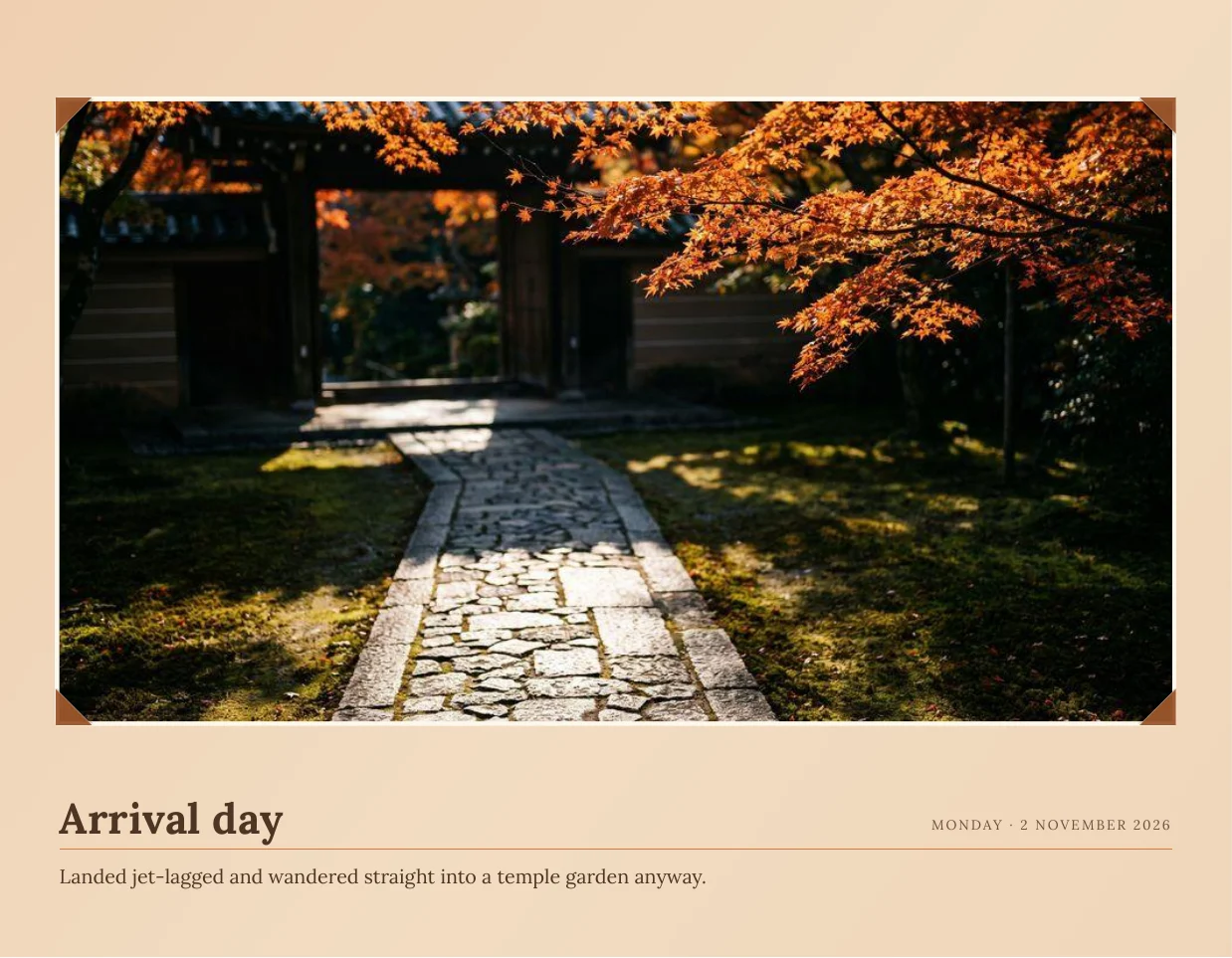
Same five photos, twelve different books.
Captured from the running build.
The sample trips (Kyoto and Big Sur) are the app’s own built-in demo data — no private photos in any of these.
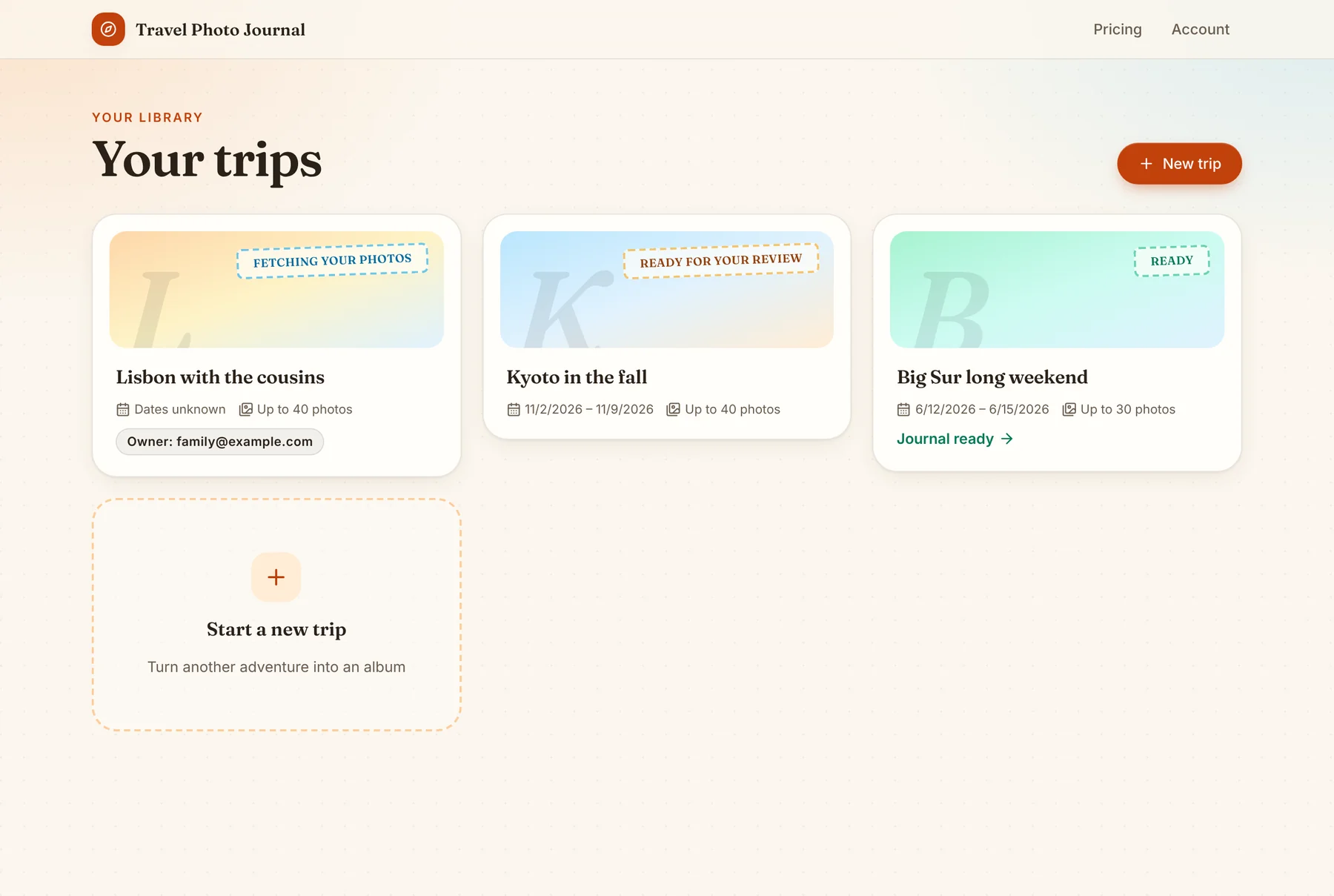
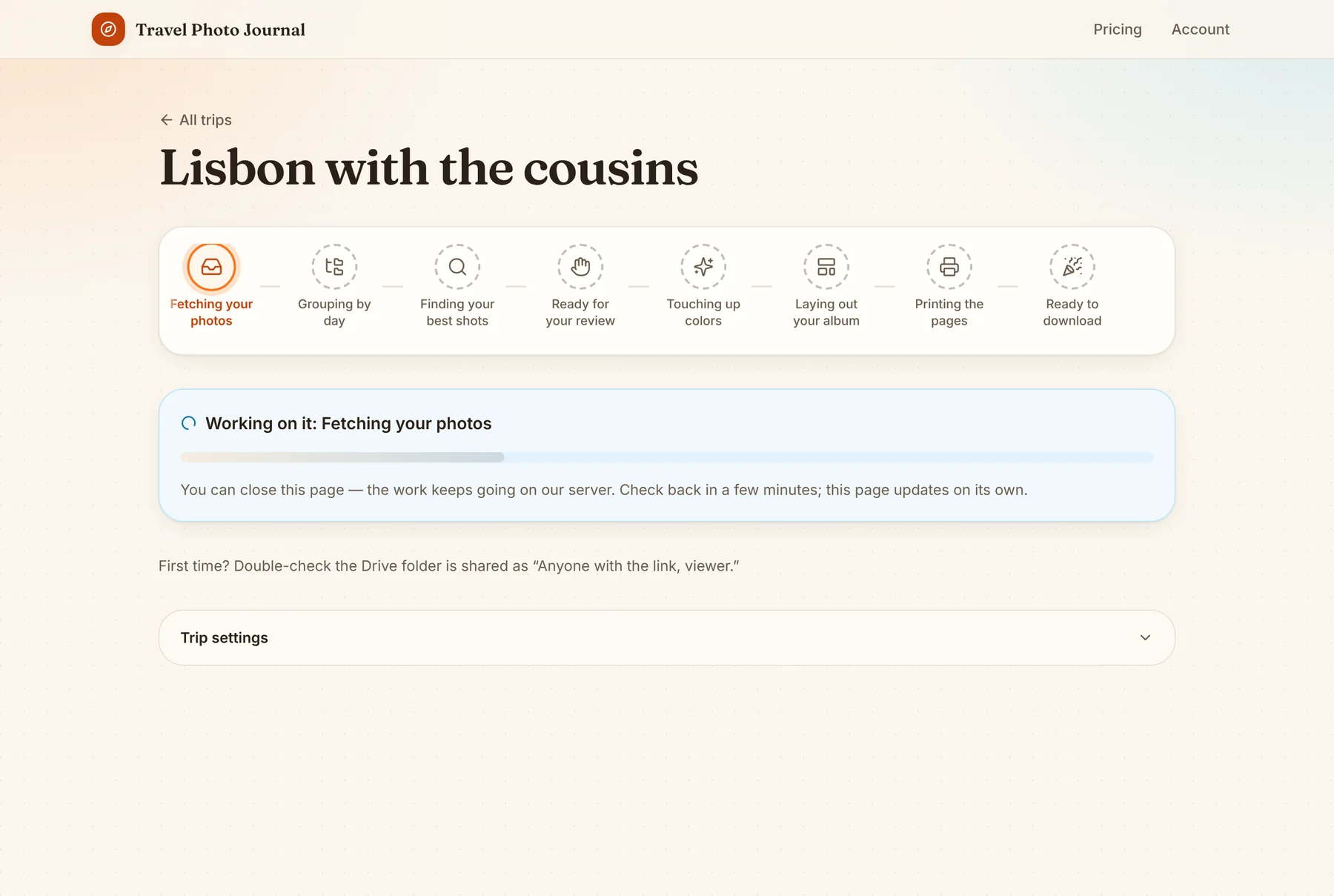
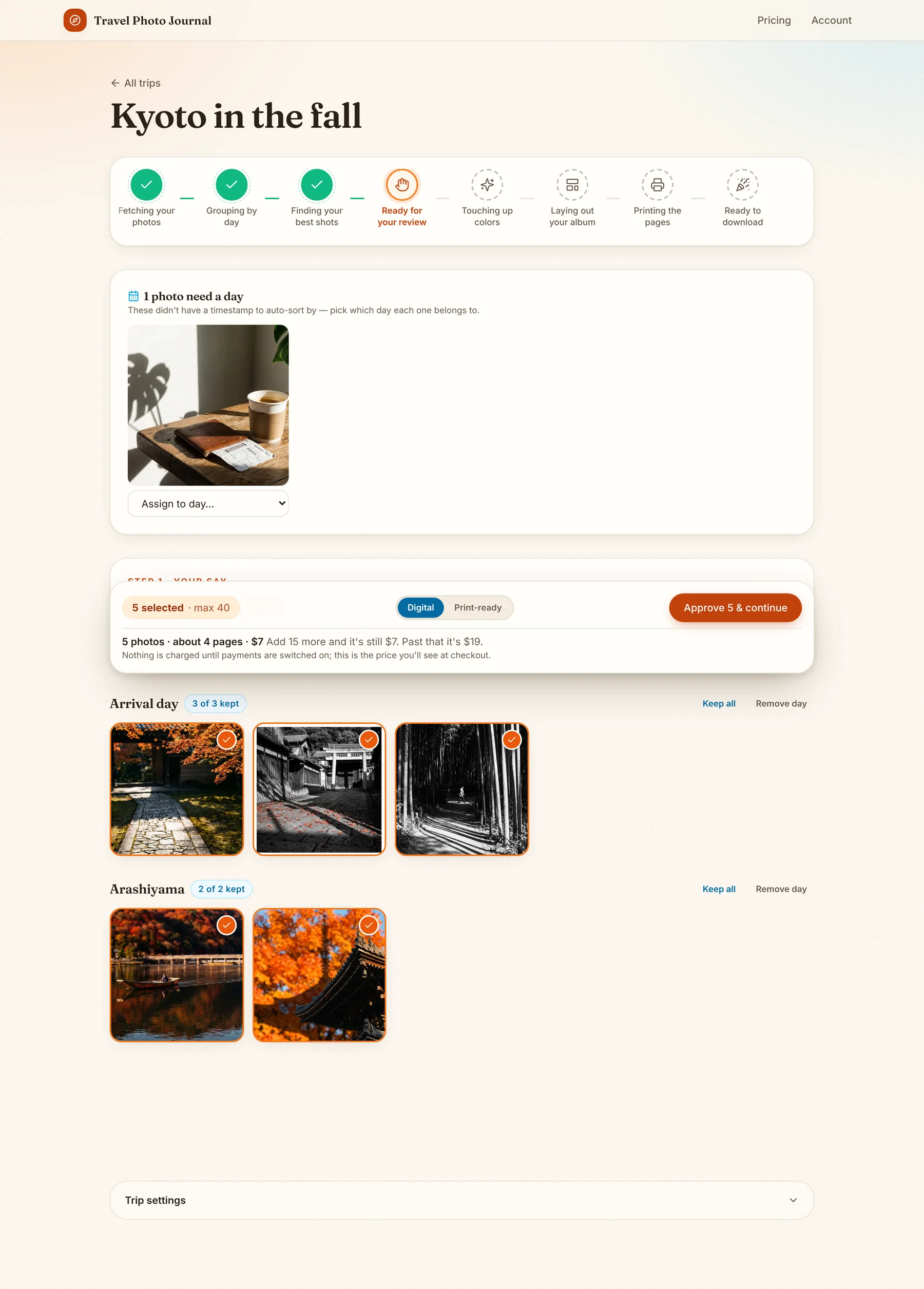
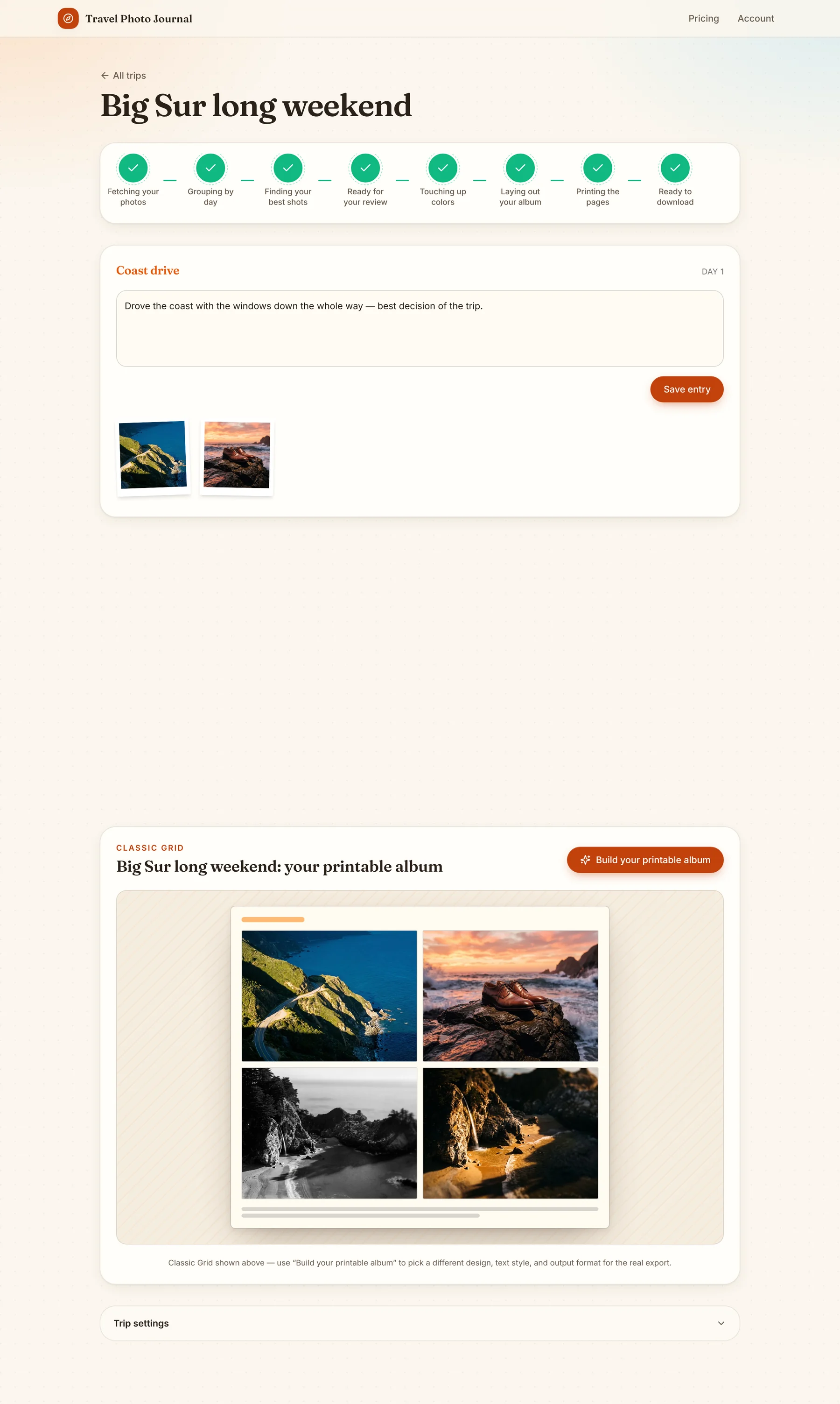
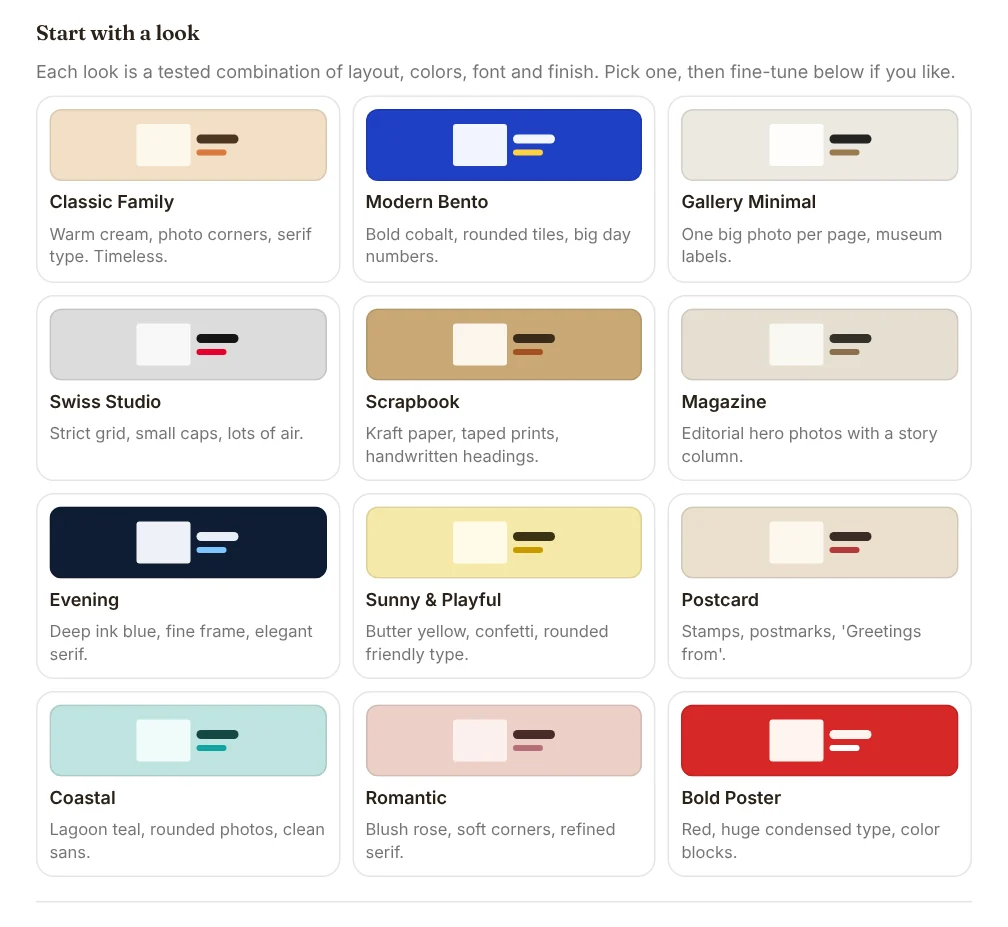
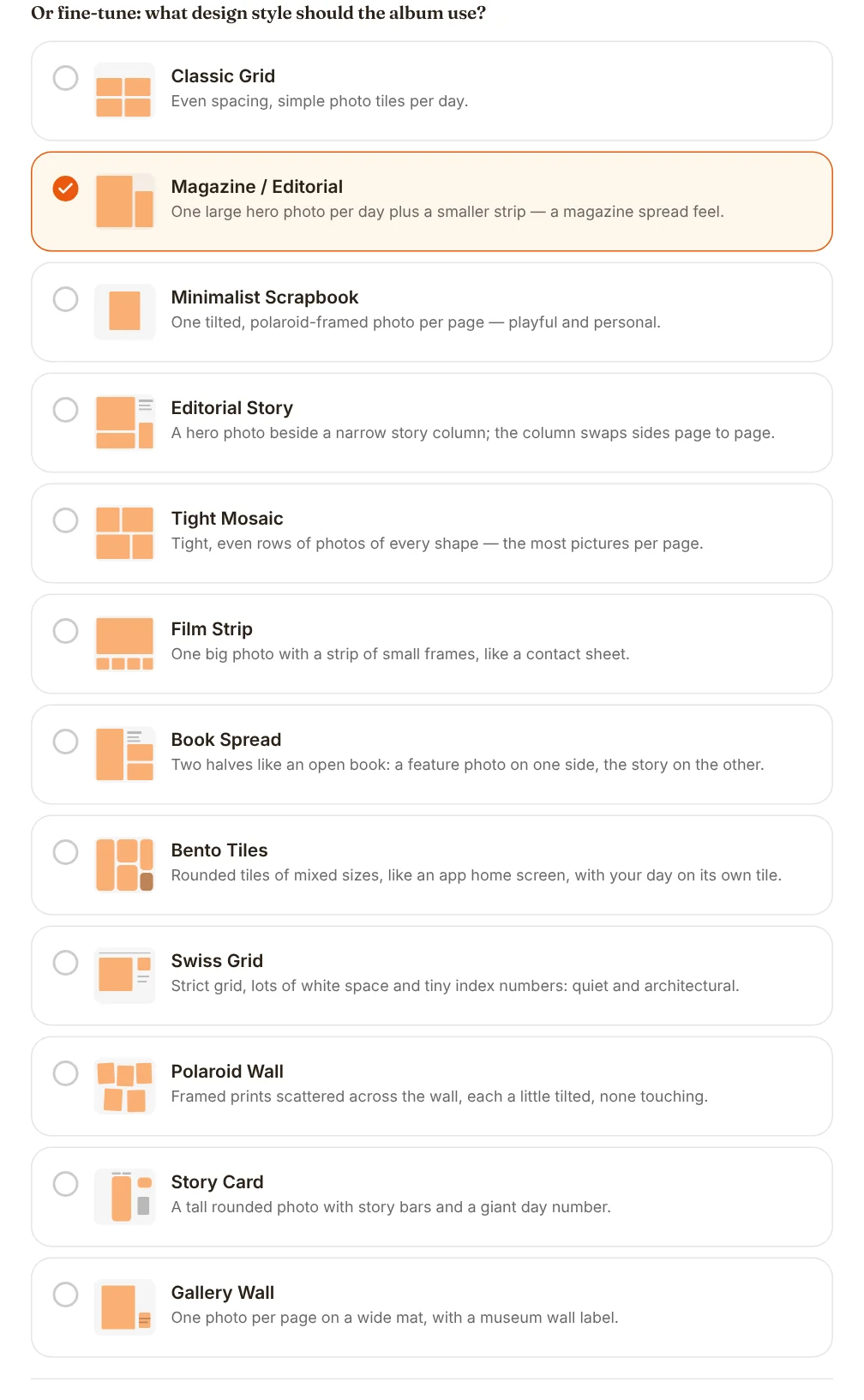
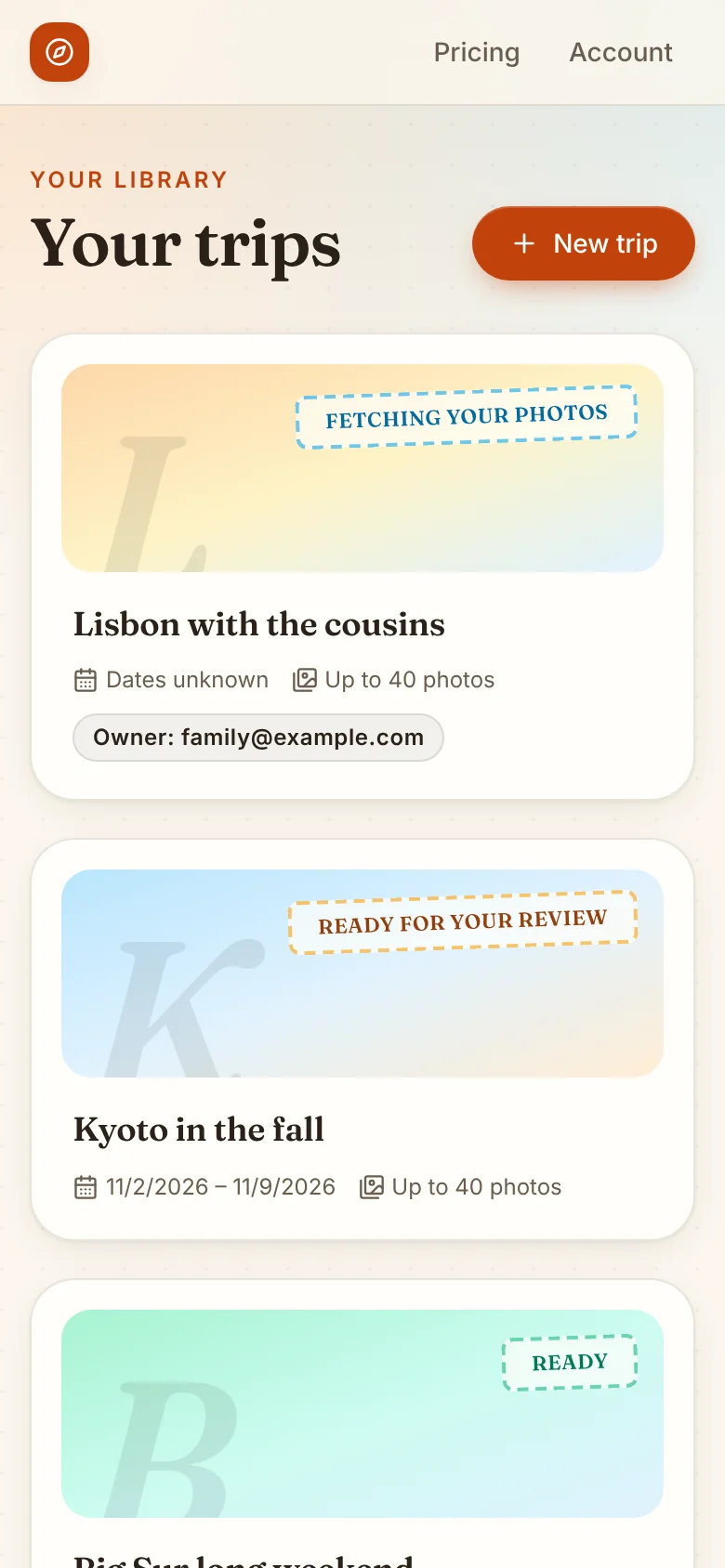
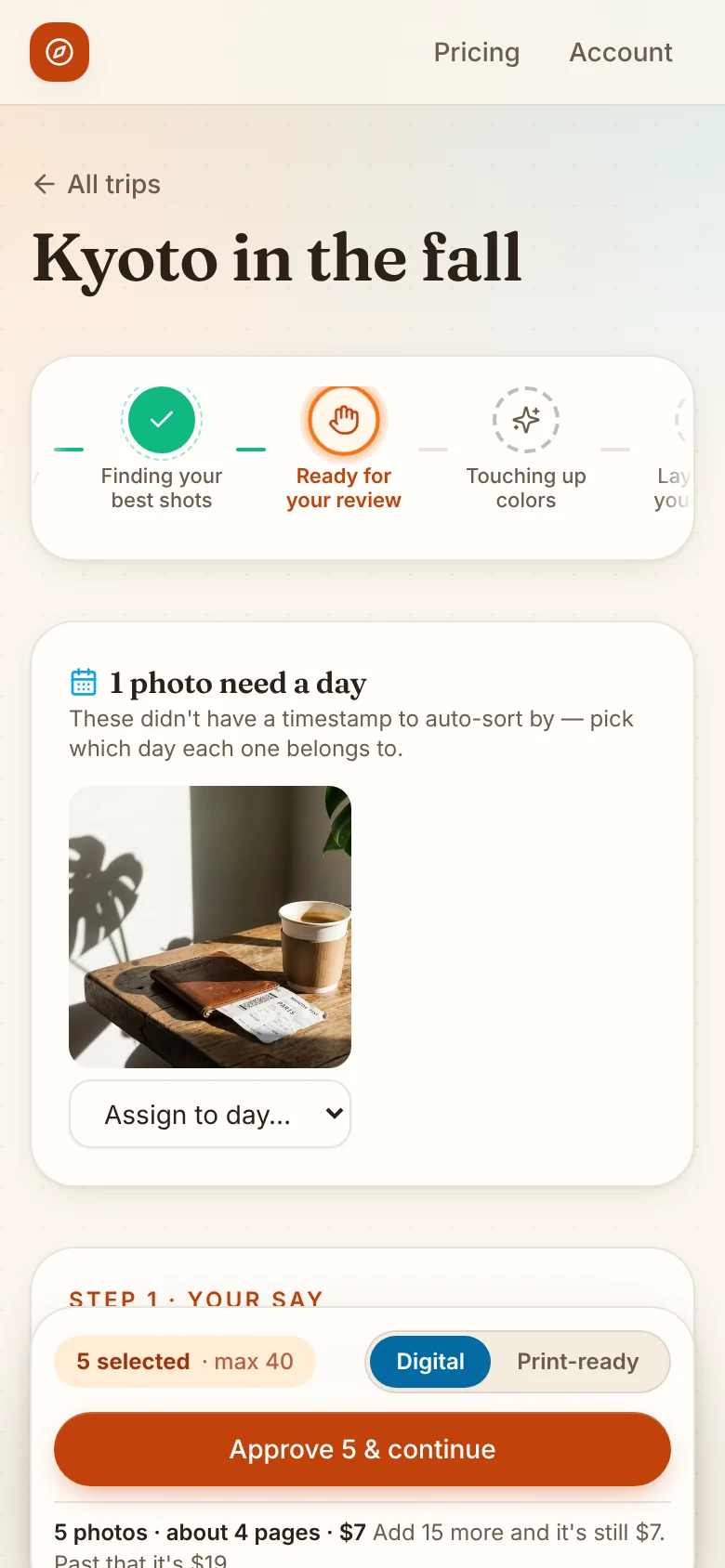
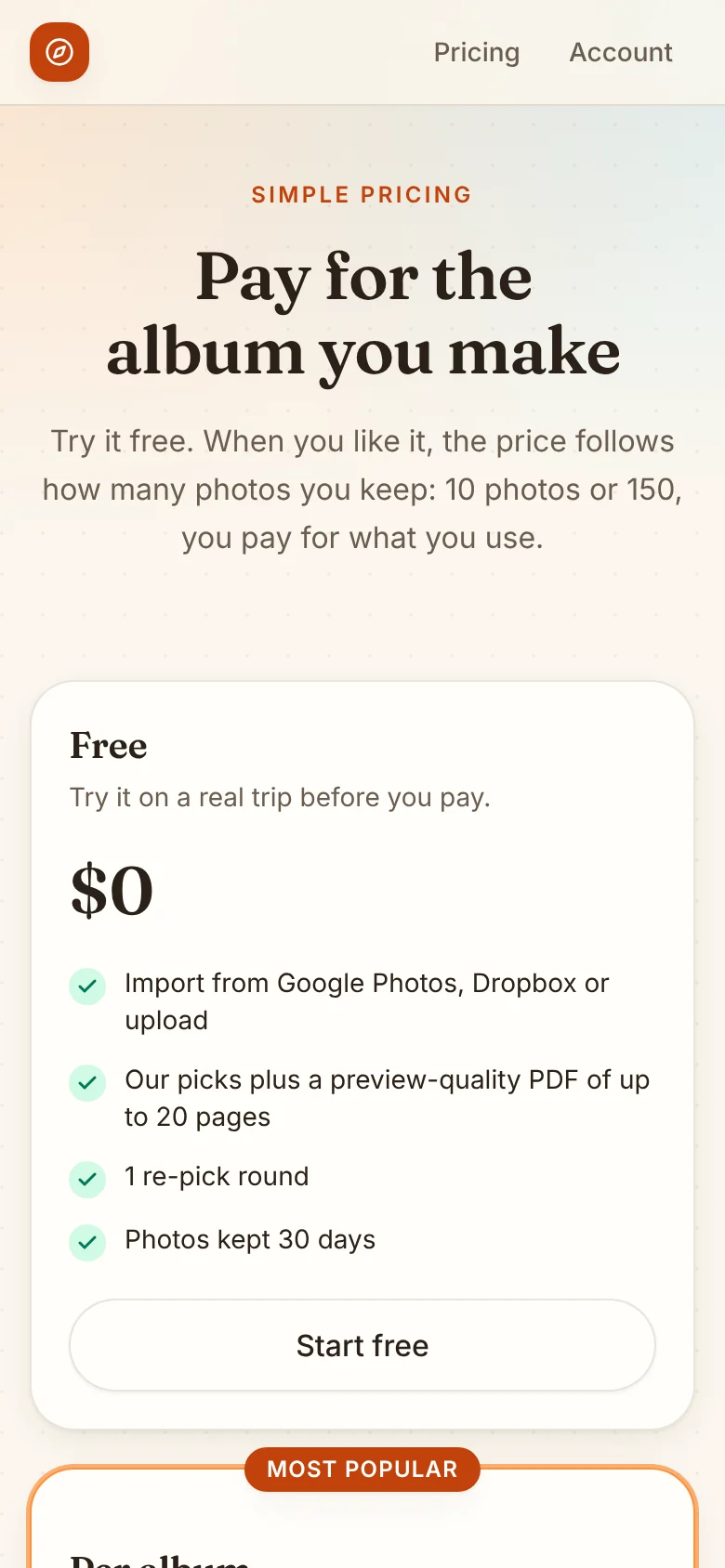
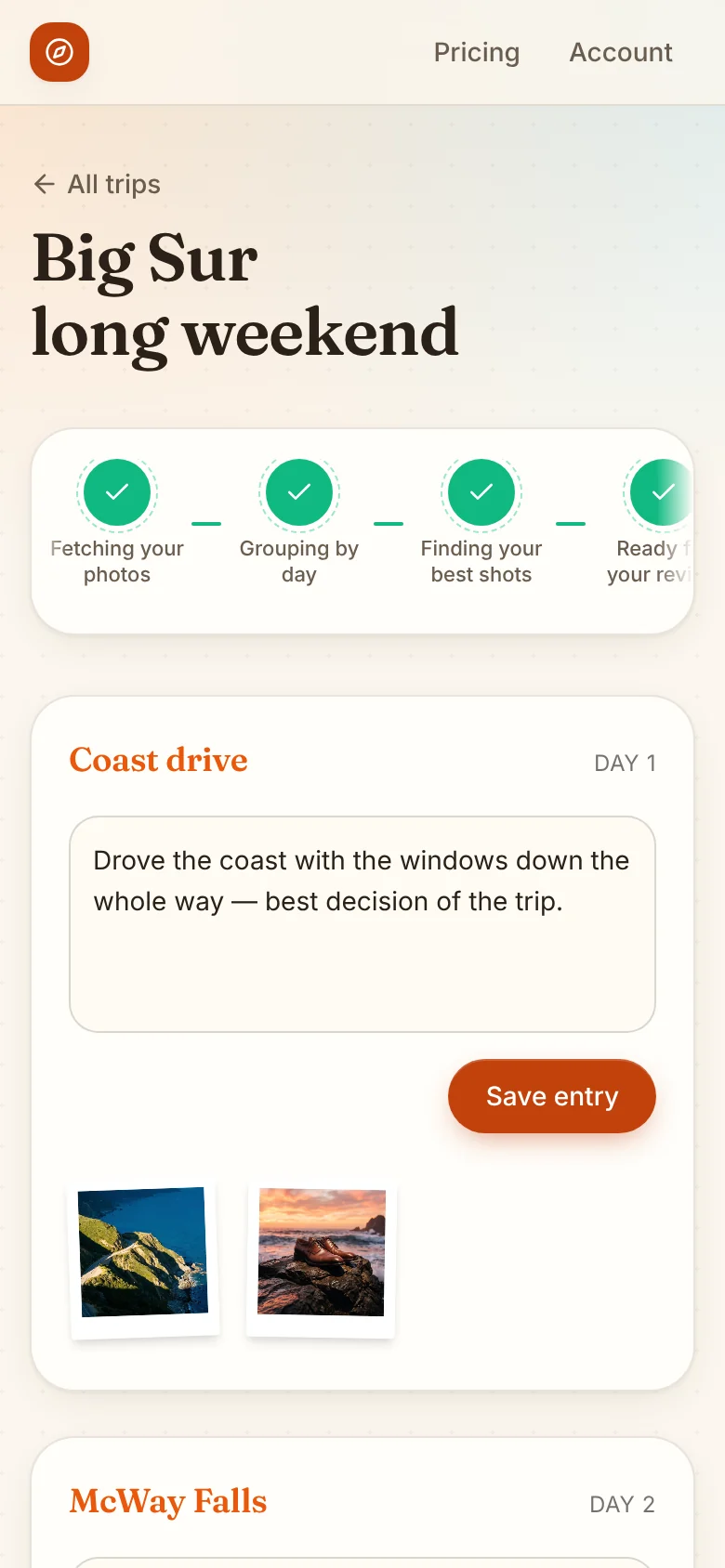
Same flow, one column.
It doesn’t touch your photos beyond what it needs to.
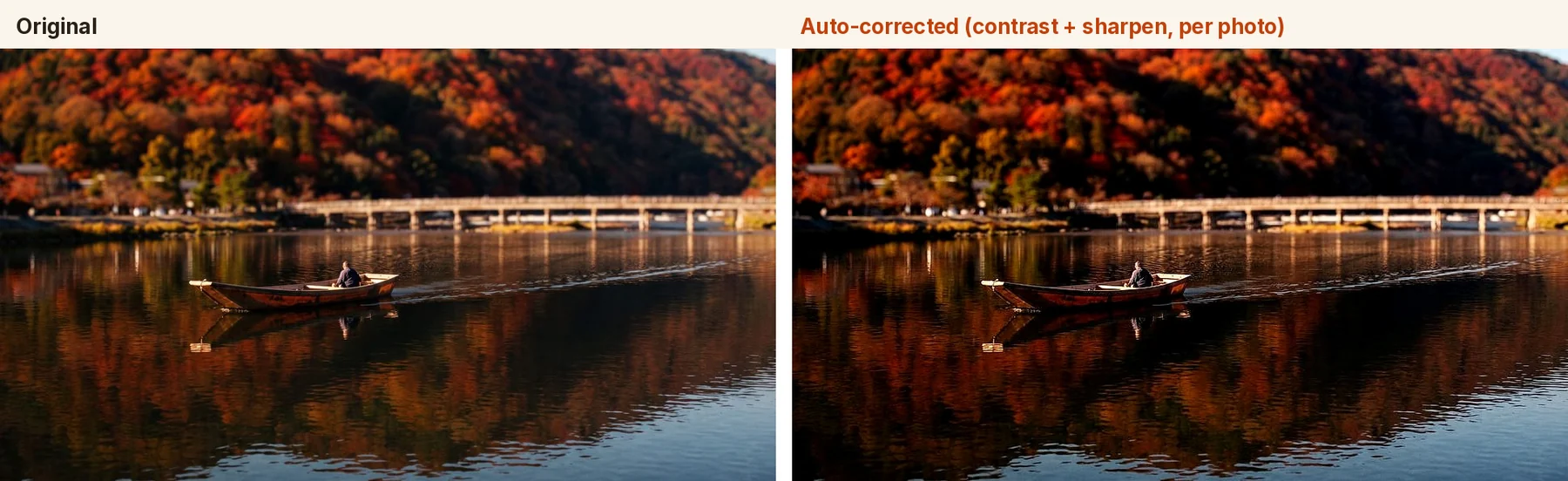
- No generative fill. The colour touch-up measures each photo’s own tones and adjusts contrast and sharpness. It never invents detail — a travel album should be a record of what you actually saw.
- Models only where judgment is needed. Everything that can be code is code. A model ranks a day’s photos and writes the journal draft. If there’s no key or a bad answer comes back, a code fallback keeps the build going.
- Faces stay private. Face matching (for “only photos of Mum”) runs on the server, and the face data is encrypted at rest with AES-256-GCM.
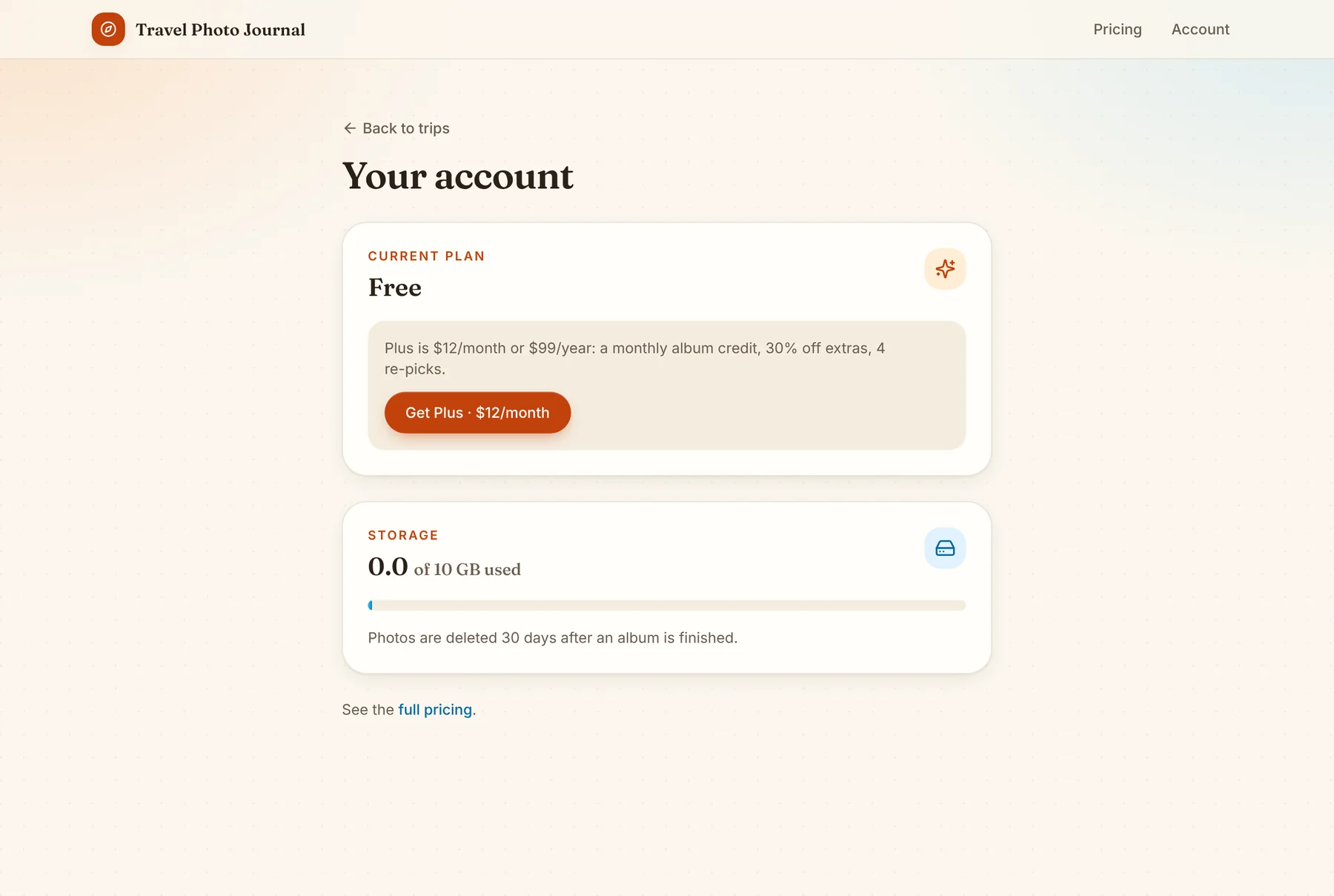
- It cleans up after itself. Photos and exports are deleted 30 days after the album is finished, on an hourly job. Your own Drive and Dropbox are never touched.
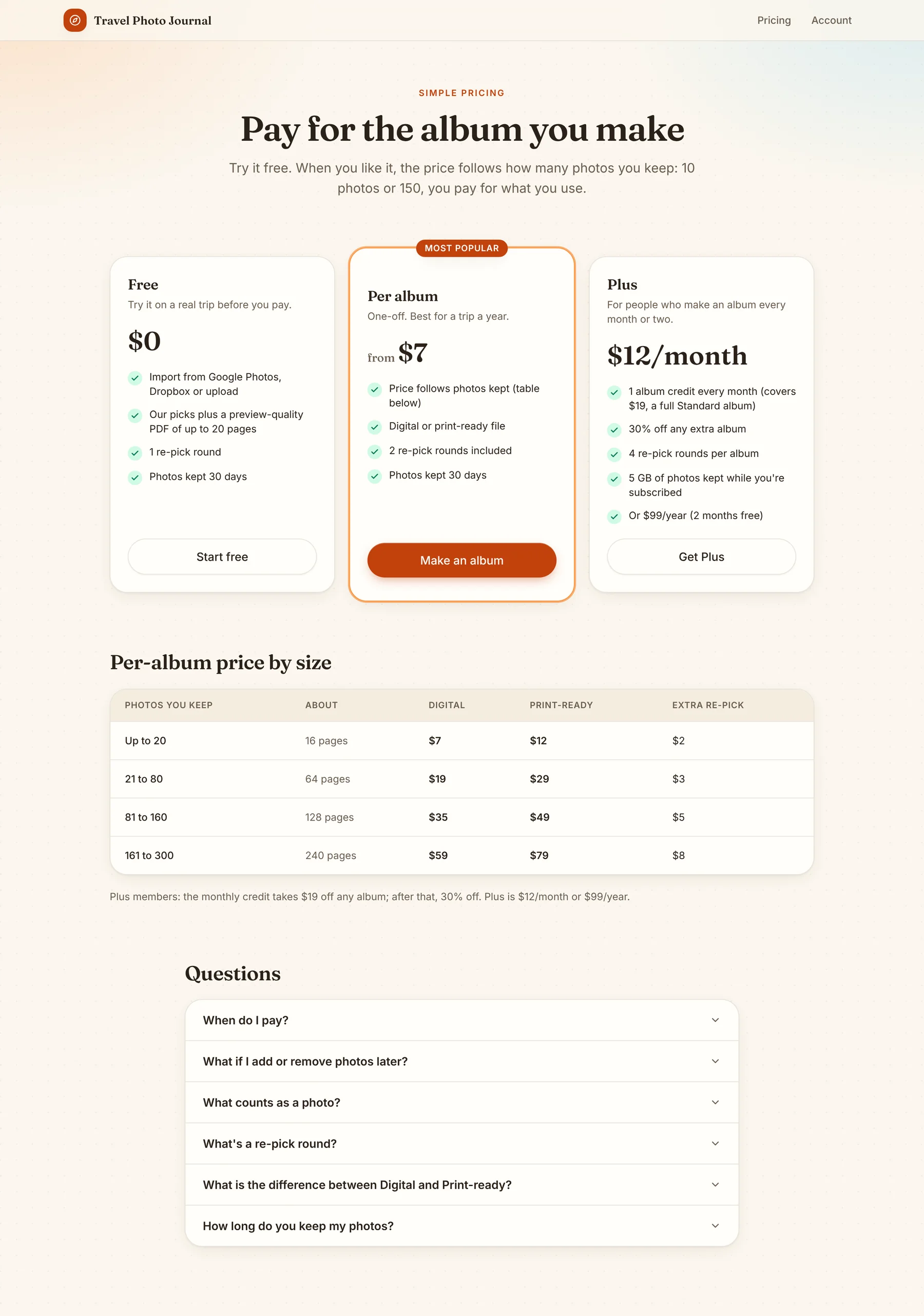
- You see the price first. The cost is shown live on the review screen, before you approve — not sprung on you at the end.
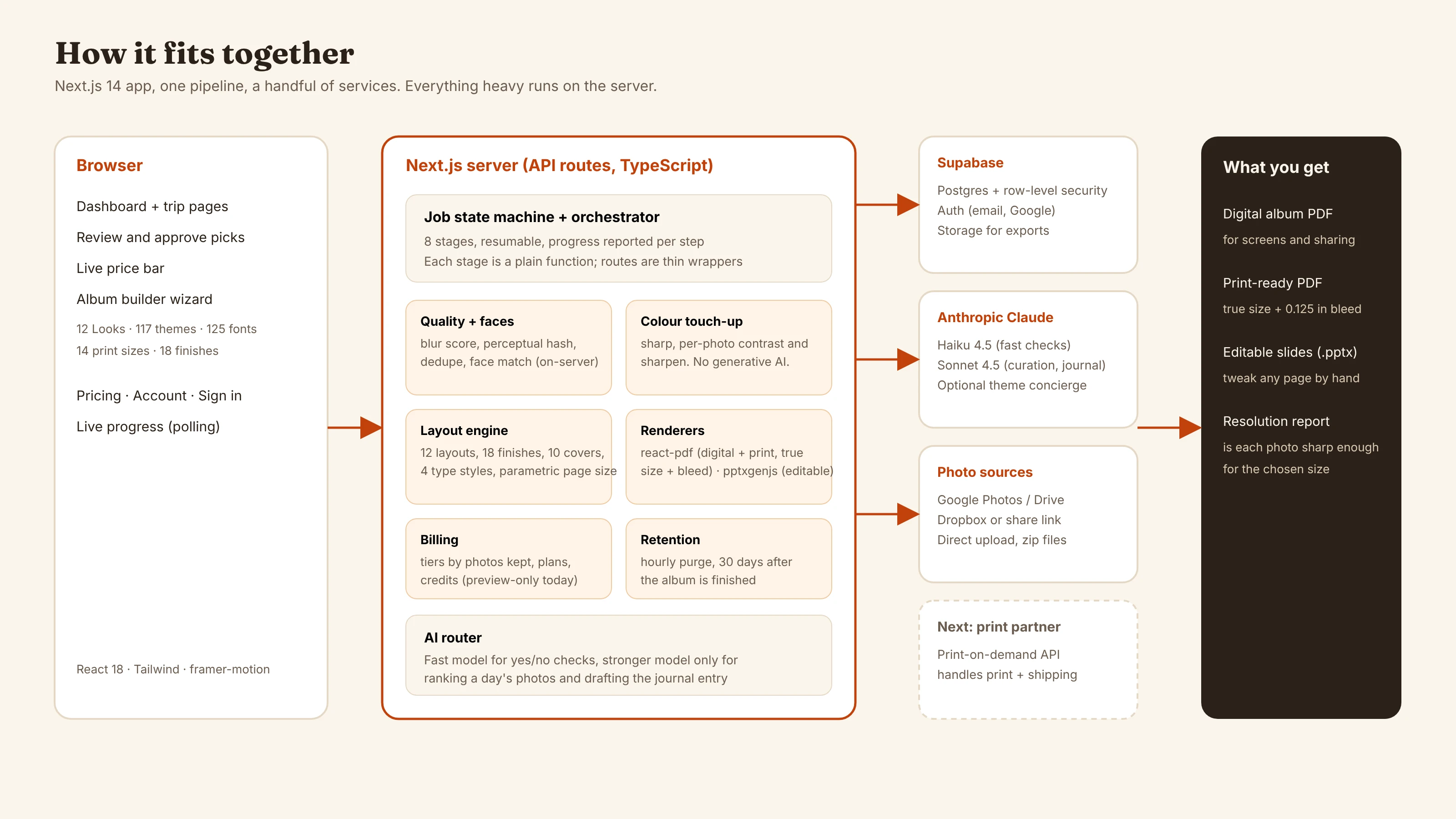
One person, one codebase, one cloud project.
Each choice is the smallest thing that does the job. About 21,800 lines of TypeScript across 131 files, 26 API routes, and a job orchestrator that chains eight stages as plain functions so any one of them can be retried alone.
App
- Next.js 14 (App Router) React 18, TypeScript, Tailwind, framer-motion. Live progress by polling a jobs endpoint.
Pipeline
- A job state machine Eight resumable stages. Each stage is a plain function; the 26 API routes are thin wrappers so any one stage can be retried alone.
Rendering
- react-pdf Lays out pages at true page size with 0.125in bleed — page size is a parameter, not a global, so every layout adapts.
- pptxgenjs An editable slides version of the same album.
Images
- sharp Colour correction and resizing, from each photo’s own measured tonal range.
- exifr + perceptual hash EXIF dates group photos by day; a blur score and dedupe clean up the picks.
- face-api on TensorFlow.js (wasm) Face matching for free-text filters like “only group shots.”
Backend
- Supabase Postgres with row-level security, Auth (email and Google), Storage for exports.
AI
- Claude Haiku 4.5 Fast yes/no checks: free-text filters, theme suggestions, short creative text.
- Claude Sonnet 4.5 The only step that needs editorial judgment — ranking a day’s photos and drafting its journal entry. One batched call per day.
Design system
- 12 Looks, 12 layouts 117 contrast-checked themes, 125 self-hosted fonts, 18 page finishes, 10 covers, 14 print sizes.
Where the interesting problems were.
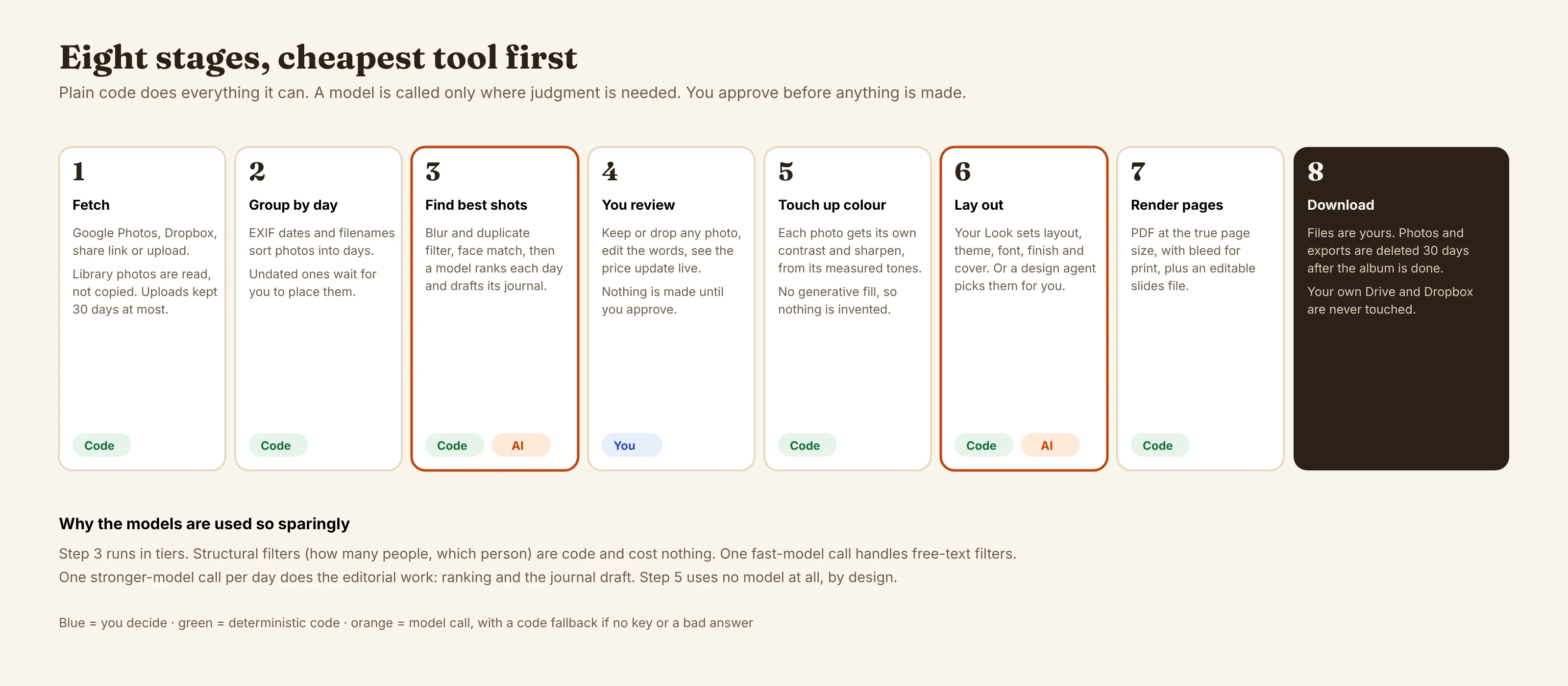
Cheapest tool first
Picking the best shots runs in tiers: code filters (blur, duplicates, people count, a specific person), then one fast-model call for any free-text filter, then one stronger-model call per day to rank and write. Colour touch-up uses no model at all, on purpose.
Page size as a parameter
Early on, layout assumed one page size. Making it a parameter meant every layout, finish and cover had to adapt — and print files could come out at true physical size. A resolution report then tells you whether each photo is sharp enough for the size you picked.
Fonts that behave
125 fonts means 125 ways to break a layout. Script fonts were unreadable as body text, so each gets a companion body font. Text widths are measured from the real font file rather than guessed, so a wide face and a narrow one both fit their boxes.
Themes that can’t be ugly by accident
Every theme passes a contrast check against its own page colour — no plain white pages. A photo’s “wash” on the page scales with how colourful the page already is, which fixed a pink cast that showed up on grey pages.
A pipeline that survives failure
Each of the eight stages owns its own error handling and marks the job on failure. Jobs resume from where they stopped, with live progress reported per step.
Found by looking
Reviewing real renders caught a dialog whose top was clipped on desktop — so the Looks picker was unreachable — and an evening cover that didn’t read on its own dark theme. Both fixed.
Six steps, roughly in order.
- 1 · The pipelineIngest, group, quality filter, curate, enhance, render — eight stages, in order.
- 2 · A preview modeThe whole flow runs on fixture data with no API keys, so it can be demoed and tested anywhere.
- 3 · Sources and retentionGoogle Photos, Dropbox, share links and uploads, with a 30-day delete built in from day one.
- 4 · Design depthThemes, fonts, layouts, finishes, covers, real print sizes — then the 12 Looks on top of all of it.
- 5 · PricingTiers by photos kept, a real free tier, a Plus plan, and a live price on the review screen.
- 6 · NextCharging for real, and ordering printed books through a print-on-demand partner.
After a big family trip I had thousands of photos and no album. Every tool I tried wanted me to do the sorting first, which is the boring part. I wanted something that did the sorting and picking, then let me choose how the book looks. So I built it.
The test album that proved the pipeline end to end was 79 photos from a Europe trip in April 2026, laid out into 62 pages — the same eight stages this page describes, run on a real trip instead of the Kyoto and Big Sur sample data shown above.
The questions people actually ask.
Does it use AI on my photos?
For picking and for writing the journal entries, yes. For colour correction, no — that’s plain image processing, and nothing is generated or filled in.
Where do my photos go?
Photos from Google Photos or Dropbox are read, not copied. Uploaded ones are held while the album is made. Everything — working copies, exports, and every database row for the trip — is deleted 30 days after the album is finished.
What do I get?
A digital album PDF, a print-ready PDF at true size with bleed, and an editable slides file.
What does it cost?
Free to try, with a preview PDF capped at 20 pages. A finished album runs $7 to $79 depending on how many photos you keep (full breakdown is on the pricing screen above). Plus is $12 a month or $99 a year and includes a monthly album credit.
Can I order a printed book?
Not yet — it’s planned through a print-on-demand partner that prints and ships, so the app never has to handle inventory or logistics itself.
Is it live?
Demo only, right now. The full pipeline runs end to end in preview mode on the sample trips shown on this page; real-key AI testing and real charging aren’t switched on yet.
Curious how it handles your own trip?
The code is on GitHub, or just send me a note — I’m happy to walk through how any of it works.
AI Travel Photo Journal is a solo-built Next.js app, currently a working preview-mode build.
Every screenshot on this page is a real, unedited capture from the running build, using its own built-in sample trips (Kyoto and Big Sur) — no private photos. The pipeline, design-system counts and stack details are drawn directly from the project’s own code. Real-key AI evaluation, live charging, and printed-book ordering are built but not yet switched on.
A personal project, built in the open. © 2026 Shreyansh Ojha.